Notice: Function _load_textdomain_just_in_time was called incorrectly. Translation loading for the woocommerce domain was triggered too early. This is usually an indicator for some code in the plugin or theme running too early. Translations should be loaded at the init action or later. Please see Debugging in WordPress for more information. (This message was added in version 6.7.0.) in /var/www/vhosts/itsenclosures.com/dev.itsenclosures.com/wp-includes/functions.php on line 6131

Notice: Function _load_textdomain_just_in_time was called incorrectly. Translation loading for the woocommerce-payments domain was triggered too early. This is usually an indicator for some code in the plugin or theme running too early. Translations should be loaded at the init action or later. Please see Debugging in WordPress for more information. (This message was added in version 6.7.0.) in /var/www/vhosts/itsenclosures.com/dev.itsenclosures.com/wp-includes/functions.php on line 6131

Notice: Function _load_textdomain_just_in_time was called incorrectly. Translation loading for the woocommerce-paypal-payments domain was triggered too early. This is usually an indicator for some code in the plugin or theme running too early. Translations should be loaded at the init action or later. Please see Debugging in WordPress for more information. (This message was added in version 6.7.0.) in /var/www/vhosts/itsenclosures.com/dev.itsenclosures.com/wp-includes/functions.php on line 6131

Notice: Function _load_textdomain_just_in_time was called incorrectly. Translation loading for the woocommerce-paypal-payments domain was triggered too early. This is usually an indicator for some code in the plugin or theme running too early. Translations should be loaded at the init action or later. Please see Debugging in WordPress for more information. (This message was added in version 6.7.0.) in /var/www/vhosts/itsenclosures.com/dev.itsenclosures.com/wp-includes/functions.php on line 6131

Notice: Function _load_textdomain_just_in_time was called incorrectly. Translation loading for the woocommerce-paypal-payments domain was triggered too early. This is usually an indicator for some code in the plugin or theme running too early. Translations should be loaded at the init action or later. Please see Debugging in WordPress for more information. (This message was added in version 6.7.0.) in /var/www/vhosts/itsenclosures.com/dev.itsenclosures.com/wp-includes/functions.php on line 6131

Notice: Function _load_textdomain_just_in_time was called incorrectly. Translation loading for the woocommerce-paypal-payments domain was triggered too early. This is usually an indicator for some code in the plugin or theme running too early. Translations should be loaded at the init action or later. Please see Debugging in WordPress for more information. (This message was added in version 6.7.0.) in /var/www/vhosts/itsenclosures.com/dev.itsenclosures.com/wp-includes/functions.php on line 6131

Notice: Function _load_textdomain_just_in_time was called incorrectly. Translation loading for the woocommerce-paypal-payments domain was triggered too early. This is usually an indicator for some code in the plugin or theme running too early. Translations should be loaded at the init action or later. Please see Debugging in WordPress for more information. (This message was added in version 6.7.0.) in /var/www/vhosts/itsenclosures.com/dev.itsenclosures.com/wp-includes/functions.php on line 6131

Notice: Function _load_textdomain_just_in_time was called incorrectly. Translation loading for the woocommerce-paypal-payments domain was triggered too early. This is usually an indicator for some code in the plugin or theme running too early. Translations should be loaded at the init action or later. Please see Debugging in WordPress for more information. (This message was added in version 6.7.0.) in /var/www/vhosts/itsenclosures.com/dev.itsenclosures.com/wp-includes/functions.php on line 6131

Notice: Function _load_textdomain_just_in_time was called incorrectly. Translation loading for the express-checkout-paypal-payment-gateway-for-woocommerce domain was triggered too early. This is usually an indicator for some code in the plugin or theme running too early. Translations should be loaded at the init action or later. Please see Debugging in WordPress for more information. (This message was added in version 6.7.0.) in /var/www/vhosts/itsenclosures.com/dev.itsenclosures.com/wp-includes/functions.php on line 6131

Notice: Function _load_textdomain_just_in_time was called incorrectly. Translation loading for the avia_framework domain was triggered too early. This is usually an indicator for some code in the plugin or theme running too early. Translations should be loaded at the init action or later. Please see Debugging in WordPress for more information. (This message was added in version 6.7.0.) in /var/www/vhosts/itsenclosures.com/dev.itsenclosures.com/wp-includes/functions.php on line 6131

Warning: session_start(): Session cannot be started after headers have already been sent in /var/www/vhosts/itsenclosures.com/dev.itsenclosures.com/wp-content/themes/enfold/config-templatebuilder/avia-shortcodes/masonry_entries/masonry_entries.php on line 56

Warning: Cannot modify header information - headers already sent by (output started at /var/www/vhosts/itsenclosures.com/dev.itsenclosures.com/wp-includes/functions.php:6131) in /var/www/vhosts/itsenclosures.com/dev.itsenclosures.com/wp-includes/feed-rss2.php on line 8
zebra printer Archives - ITSENCLOSURES Heavy Duty, Industrial Enclosures Thu, 02 Apr 2020 16:21:51 +0000 en-US hourly 1 https://wordpress.org/?v=6.9.4 https://dev.itsenclosures.com/wp-content/uploads/2019/11/cropped-desktop-titan-1-32x32.png zebra printer Archives - ITSENCLOSURES 32 32 All Weather – Printer Enclosures Case Study https://dev.itsenclosures.com/case-studies/all-weather-inc-awi/ Thu, 07 Nov 2019 16:13:24 +0000 https://itsenclosures.com/?p=9115 All Weather was searching for printer enclosures to enclose and protect printers in an airport setting. COMPANY SYNOPSIS: According to the company’s website, “All Weather Inc. (AWI) is a leading developer of highly accurate, highly dependable aviation technology solutions that help… customers minimize risks in an unpredictable world. AWI combines state-of-the-art air traffic integration and surface […]

The post All Weather – Printer Enclosures Case Study appeared first on ITSENCLOSURES.

]]>
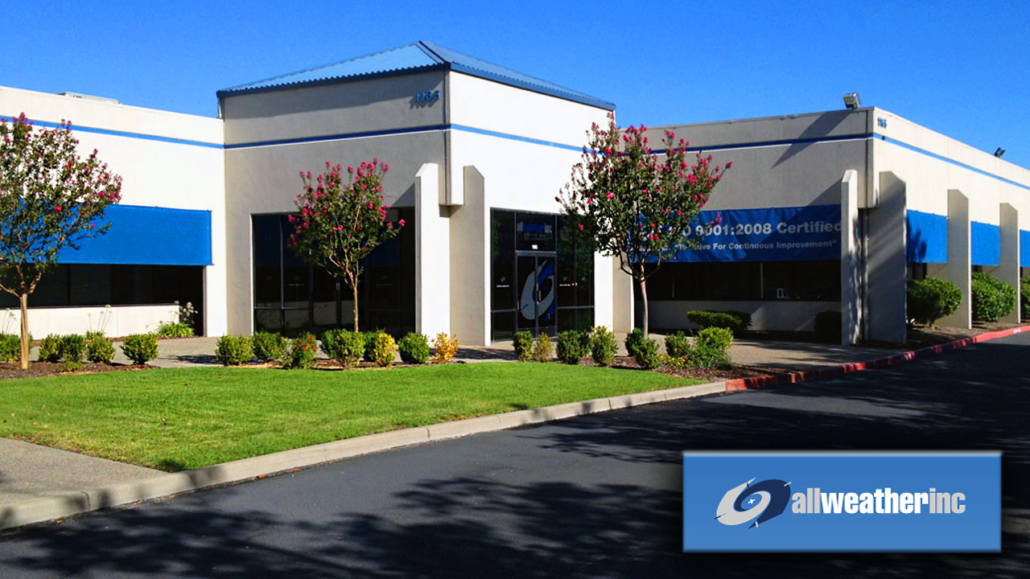
All Weather was searching for printer enclosures to enclose and protect printers in an airport setting.

case study itsenclosures all weather inc

COMPANY SYNOPSIS:
According to the company’s website, “All Weather Inc. (AWI) is a leading developer of highly accurate, highly dependable aviation technology solutions that help… customers minimize risks in an unpredictable world. AWI combines state-of-the-art air traffic integration and surface weather measurement technology with flexible system design and comprehensive project management. Offerings include aviation weather systems, air traffic control systems, custom system engineering, and a wide range of precision meteorological sensors and systems.”

all weather logo case study itsenclosures printer enclosuresHOW DID ALL WEATHER, INC. FIND ITSENCLOSURES:
While perusing the web for steel printer enclosures for a specific job, All Weather’s engineering department found the ITSENCLOSURES website and reached out for enclosure options, quantity pricing, and lead time.

PROJECT:
All Weather desired a heavy-duty printer enclosures for an airport system that was in the process of revamping its facility. AWI closely worked with a contractor on the bid and shared ITSENCLOSURES’ pricing and availability with the contracting team for evaluation.

CHALLENGES:
The biggest challenge that AWI would face is dust/dirt penetrating the printer and hindering its operation. Since the overall installation environment is dusty, the application required NEMA 12 rated printer enclosures to protect the printer from exterior contaminants.

SOLUTION:
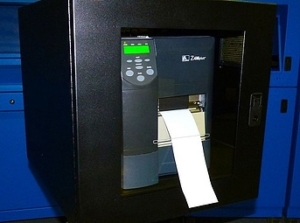
After reviewing a few options, All Weather purchased a powder coated 14-gauge steel, PB202024-12 printer enclosure, which protects against dust, dirt, non-corrosive/splashing liquids, and fibers in the air. All Weather did not desire a printed material label slot, so ITSENCLOSURES installed a solid Lexan Polycarbonate window. The standard features – of the PB20-12 – include a sliding shelf (for printers weighing up to 80 pounds), a lockable front door, and a rear split panel for running cables and wires into the printer enclosures.

SUMMARY OF PROJECT:
All Weather is very happy with the PB20-12 printer enclosures and plans to purchase additional enclosures in the future as projects arise at airports across the country. An All Weather representative stated, “the purchasing experience was simple and fast!”

PB202024-12 PRODUCT PAGE: Click Here

HAVE QUESTIONS?
Let us know how we can best assist you! Contact an ‘ITSENCLOSURES expert’ at 1-800-423-9911 -OR- send us an email: info@itsenclosures.com

The post All Weather – Printer Enclosures Case Study appeared first on ITSENCLOSURES.

]]>
Problems Printer Enclosures Solve for Printers https://dev.itsenclosures.com/printer-enclosures/3-problems-heated-printer-enclosures-solve-for-zebra-printers/ Wed, 30 Nov 2016 16:41:30 +0000 http://itsenclosures.com/?p=94 By deploying printer enclosures with the correct thermal management, a Zebra printer can operate in a multitude of areas. Many Zebra printers use a process called “thermal transfer” to produce small or large high-quality prints on labels. The innovative method uses a precise heated ribbon to create long lasting images on the surface of a […]

The post Problems Printer Enclosures Solve for Printers appeared first on ITSENCLOSURES.

]]>

By deploying printer enclosures with the correct thermal management, a Zebra printer can operate in a multitude of areas. Many Zebra printers use a process called “thermal transfer” to produce small or large high-quality prints on labels. The innovative method uses a precise heated ribbon to create long lasting images on the surface of a label or tag. Zebra printers can create robust wristbands, colorful cards, product identification tags, or certification labels.

With the versatility to create durable labels, it is natural for manufacturers, distribution centers, or warehouses to utilize these printers on the factory floor. However, not all areas are created equal! 

Coolers, refrigerators, chillers, or freezer conditions can cause the following issues:

  1. Warning – Temperature Drops Below 59°F

When the ambient temperature of the facility drops below 59°F, Zebra printers will display a warning message. Although the actual printer is not at risk of any permanent damage, the print quality may degrade or the printer will slow down considerably – based on the colder ambient temperature.

  1. Error – Print Heat is Too Cold pb202024-12 printer enclosures icestation itsenclosures zebra printer

If the printer is close to a loading dock or an outside gate/garage door, it is susceptible to less than ideal operating temperatures. Essentially, the printer detects that it is unable to heat the printer head to a high enough temperature to print labels and simply ceases to work. In addition, if the environment is too cold, Zebra printers will display an error or shut down if the electrical or battery output drops to a low enough voltage level.

  1. Condensation

When a piece of electronic equipment is used in a cooler or freezer environment, condensation may occur. If the printer is moved in and out of a cold setting, water droplets can form, causing issues with the printer. The display screen may even be difficult to read.

The solution – A thermostatically controlled heated printer enclosure!

By deploying printer enclosures with the correct thermal management, Zebra printers can operate in a multitude of areas, as well as, extreme outdoor weather conditions. The printer enclosure will provide a reliable operating environment for the barcode printer no matter where the device resides in the factory. According to the blog, ‘Cool Solutions for the Cold Chain,’ “Label printing solutions, for instance, need purpose-built heater boxes to ensure printer functionality and also to keep the media at an effective application temperature.” The correct enclosure solution can translate into fulfilling more orders per day or increasing accuracy and productivity in a challenging area. A Zebra printer enclosure will serve as a permanent fix and eliminate the issue of harmful condensation.

The post Problems Printer Enclosures Solve for Printers appeared first on ITSENCLOSURES.

]]>