The post Avoid Computer Enclosure Pitfalls with Planning appeared first on ITSENCLOSURES.
]]>If the proper planning is executed from the beginning of the process, finding the best computer enclosure does not have to be overwhelming. Setting aside time for adequate research is the best course of action and will pay off in the long run. Keep in mind: not every enclosure company has the same product for the same price, and appropriate product comparisons should be made and reviewed.
What steps should be completed to find the perfect solution?
6 Steps to Specifying the Best Computer Enclosure for the Job:
- Define Requirements
Meet with the team members involved on the enclosure expansion to clearly define the computer enclosure requirements. Important items to consider, include the NEMA rating, power supply, locks, hinges, window choices, thermal management, environmental temperature extremes, space requirements to house electronics (computer, monitor, printer, UPS, etc.), and the overall durability of the enclosure material. If every team member is on the same page at the beginning, there will be no surprises when the equipment arrives on site.
- Research
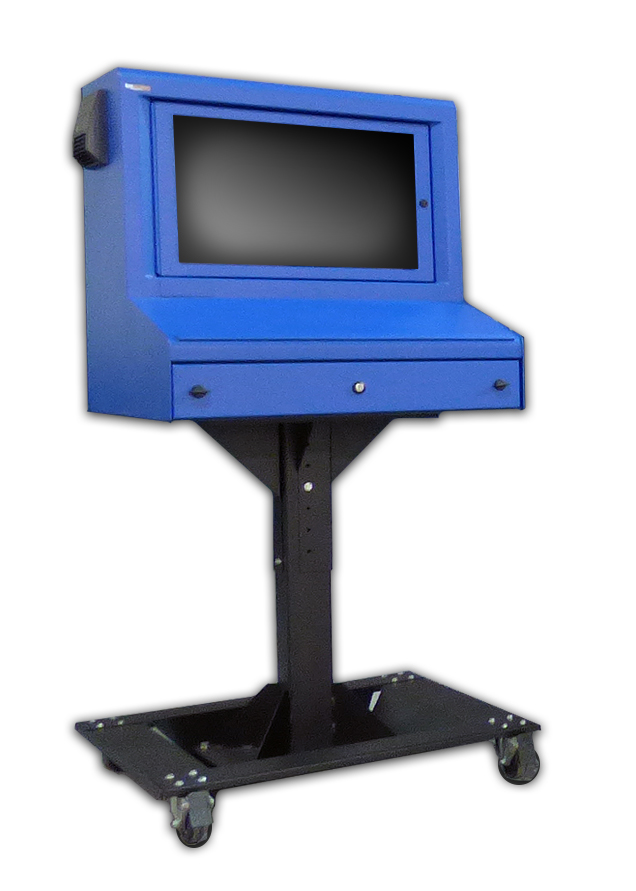 Complete the necessary homework! Every enclosure company is going to make claims that they offer the highest quality computer enclosures on the market. However, if you dig a little deeper, you will find that the materials and hardware used – to build some enclosures – are flimsy. In the end, experience speaks for itself. To make sure you are purchasing the best product, submit the clearly defined project requirements to enclosure providers for a recommendation on their best product. Also, do not overlook the length of the warranty being offered. This could help down the road, if something unexpected occurs.
- Choose the Best Supplier
When possible, evaluate a potential computer enclosure in person, or inquire if an evaluation unit is available. Most companies are willing to send one unit for a hands-on review, in anticipation of selling multiple units after the evaluation period is over. Companies with heavy duty units are always eager to send over a sample unit, because it will likely impress the end user. If an evaluation unit is not available, ask the enclosure supplier for a list of referrals of similar companies that they have worked with on previous projects.
- Pricing
Once it is determined what (product) and who (enclosure supplier) has the best solution for the project, obtain a competitive price quote. Too often, customers ‘ballpark’ their budget far too low in the beginning and do not perform the correct evaluation of the products available on the market. Poor initial budgets could equate to sacrificing enclosure quality, which may end up costing a company more money over the course of time.
- Create a Timeline
From electronics to accessories, understand the lead time for all the items required to properly execute a successful computer enclosure plan. Enclosure suppliers always have a handful of best-selling products ‘in stock,’ which means the lead time should only be a few days. However, if a specialized project requires a custom-made enclosure, then the lead time can be extensive. At times, a customer may need an enclosure solution in two weeks, but in order to fabricate a new product, the lead time could take up to 2 months. This will create headaches for everyone involved in the process. Failing to prepare – in a timely manner – may result in expedite fees to meet the company’s “go live” date.
- Execute
If all of the ducks are in a row, executing the project will prove to be the easiest part! Be sure to assign a project manager to keep everything moving on the right track. In the end, if the plan was implemented properly, then the project will be a huge success. Also, save the enclosure supplier’s number or email, because you may want to order more units in the future!
Poor planning may result in poor product choices. In order to get the right product for the job, always ask questions (and more questions) during the process. How much will this cost? Will the chosen enclosure be best for my environment? What is the lead time? How will this ship? Can this product have thermal management? Can a printer fit? How will power enter the enclosure? These are just a few of the queries to ponder.
Detailed research is always the best course of action. When it comes to purchasing new computer enclosures, it is always good to have a strategy.
HAVE QUESTIONS? LET US KNOW HOW WE CAN BEST ASSIST YOU! CONTACT AN ‘ITSENCLOSURES EXPERT’ AT 1-800-423-9911 -or- SEND US AN EMAIL: INFO@ITSENCLOSURES.COM
The post Avoid Computer Enclosure Pitfalls with Planning appeared first on ITSENCLOSURES.
]]>The post Customizing Your Industrial Computer Enclosure appeared first on ITSENCLOSURES.
]]>The term “custom” enclosure often gets a poor reputation for being more expensive than standard units and having excessive lead times. However, this is not always the case. When researching the best industrial computer enclosure for the job, it is critical to choose an enclosure provider which utilizes off-the-shelf items to customize a solution that meets the users’ needs.
Finding the right enclosure for a computer enclosure project is more extensive than just simply picking out a steel or stainless steel ‘box.’ Enclosures are available in a variety of shapes, sizes, and materials with numerous options for accessories, mounting, connectivity, and climate control. End users and system integrators can simplify the process by choosing a customized solution that ships ready to be used upon delivery.
In order to meet the individual requirements of users, enclosure companies usually stock popular models and valuable accessories. Therefore, the company will be able to “build” an enclosure tailored to the end user’s specific needs more efficiently, than if it was constructed ‘from-scratch.’
Custom Factors to Consider:
Custom Colors
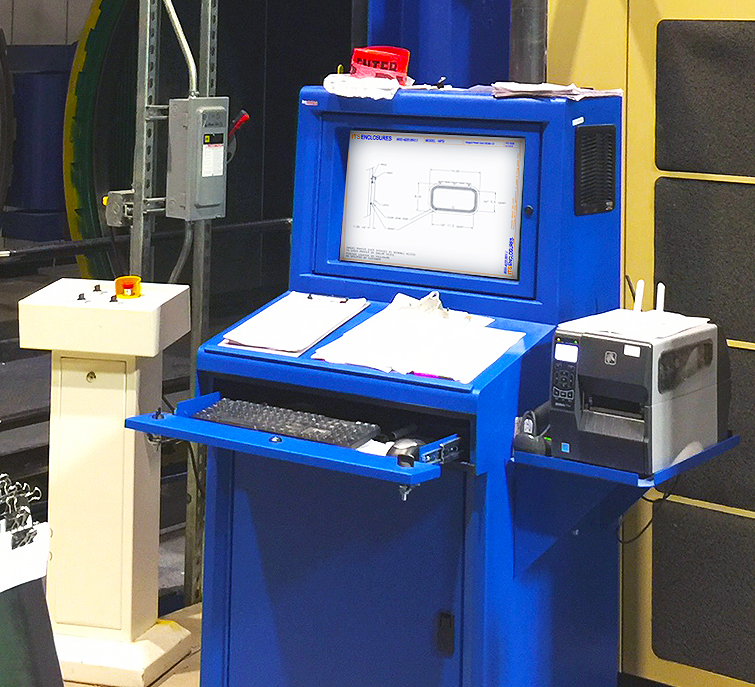
Sometimes the standard color offerings (gray, white, black, or even blue) will not suit the needs of a customer. Custom colors to fit a company’s branding scheme, to match other equipment, or for safety reasons may be required for certain applications. It is necessary for an enclosure company to provide specialized color(s) choices (Pantone or equivalent RAL color) on a small or large scale.
 Custom Doors
Custom doors, ranging from dust-free printer access doors to rear extended doors to panel mountable doors for touchscreens, are crucial to the efficiency of the enclosure solution. Finding a means to access the electronics inside the pc enclosure is just as important as protecting the electronics from outside dirt, grease and other harmful contaminants. The enclosure can be rendered useless if there is not an easy way to access printer tickets or the ability to use a touchscreen.
Thermal Management
It goes without saying, but all industrial and manufacturing areas are different. It is beneficial to work with an enclosure specialist that has a thorough understanding of specifying the correct heating or cooling (or both) for a computer enclosure. The ability to tailor an off-the-shelf enclosure solution with a filtered fan system, air conditioner, vortex cooling unit, heat exchanger, or various sizes of heaters – specific to the environment the system will be installed – is crucial.
Ask the pc enclosure provider if they have a worksheet to fill out in order to find the best thermal management solution.
Additional Accessories
Although it may seem like minor details compared to the points already discussed, accessories like a foldable mousepad, sliding shelf brackets, mobile or bolt down pedestals (painted steel or stainless), cable entry glands, and power supplies can make a big difference. Most enclosure company websites will list out complimentary accessories below the product, so that an end user can select what will work best for the application. Enclosure specialists will work with customers to find the most appropriate accessories for the specified installation.
Never let the word “custom” affect a computer enclosure solution decision. Custom can simply mean that the end user can pick & choose how the industrial computer enclosure will look and function in a working environment. Homework is essential. As always, do not let price steer you in the wrong direction. In the end, durability and longevity should always be the most important factors when deciding on a brand new enclosure solution.
HAVE QUESTIONS? LET US KNOW HOW WE CAN BEST ASSIST YOU! CONTACT AN ‘ITSENCLOSURES EXPERT’ AT 1-800-423-9911 -or- SEND US AN EMAIL: INFO@ITSENCLOSURES.COM
The post Customizing Your Industrial Computer Enclosure appeared first on ITSENCLOSURES.
]]>The post How to Customize Computer Enclosures appeared first on ITSENCLOSURES.
]]>It’s not just a simple steel box.
Enclosure manufacturers always strive to quickly ship the ideal cabinet to satisfy customers’ requests. The value added through flexibility and modifications can be very appealing if integrators work with a supplier that “can do it all.” When searching online for heavy-duty pc enclosures, integrators and project engineers often investigate outsourcing certain components of a computer workplace to help reduce costs and shorten delivery time. When deploying a new workstation or upgrading an existing enclosure system, designers must determine what type of computer enclosure will perform the best, and plan how components and wiring will come together to complete the project.
Best Practices for Enclosure Customization
1. Cutouts
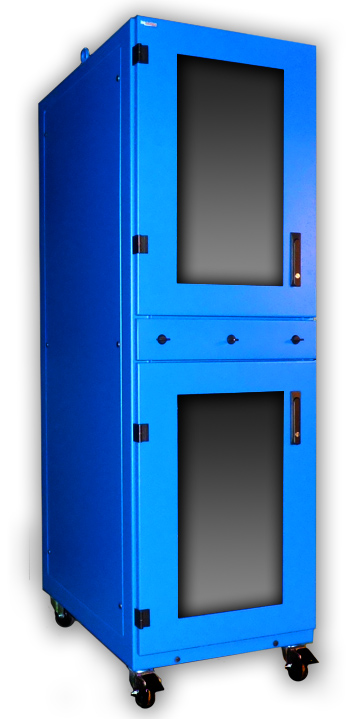 Prior to an enclosure being populated with functional electronics, holes must be cut out and connections must be mounted. It is common for factories and panel shops to knockout or punch holes for a perceived ‘quicker’ turnaround and cost. This may lead to inaccuracy, especially if the factory or panel shop does not have the correct size of punch or bit. Finding an industrial enclosure company that has the skill and ability to modify an enclosure – before shipping – may eliminate hours of in-house measuring and cutting by hand. Enclosure companies make cutouts and custom modifications daily, and do so with great precision. Popular modifications include cable glands, liquid-tight conduit, and cutouts for knobs and push buttons.
2. Wiring
Wiring electrical outlets, fan systems, thermostats, air conditioners, and heaters can be time consuming for the inexperienced. Large jobs may require a completely turnkey solution with necessary wiring and cabling before deploying the computer enclosure in the field. If an integrator is purchasing a sizeable quantity of enclosures and drop shipping them directly to their customer, the enclosure solution must be ‘plug & play’ and ready to use upon delivery. Ask your enclosure manufacturers if outlets, thermal management and other electrical components are installed at the manufacturing facility before shipping. Properly sourced manpower will greatly reduce the final installation time on big projects.
3. Mounting
Internal components such as brackets, DIN rail, mounting track, unistrut, rack channel, and sub panels are vital for mounting switches and controls. If these items are pre-installed prior to delivery from the manufacturer, it will greatly reduce assembly time for your customer and will help them reach a ‘go live’ date. Again, coordination with the enclosure manufacturer will ensure that everything is installed properly and professionally. Manufacturers perform modification tasks regularly and employ proper installation procedures!
When it comes to industrial pc enclosures, many system integrators, engineers and buyers only consider the purchase price and not the entire package. An enclosure company’s reputation and experience can make all the difference! Over time, a great business relationship can be created between the integrator and manufacturer. Leveraging an enclosure manufacturers’ experience can help eliminate some of the ‘heavy lifting’ on behalf of the integrator and end user/customer. It is always best to research solutions on the market and discuss the project with enclosure experts.
HAVE QUESTIONS? LET US KNOW HOW WE CAN BEST ASSIST YOU! CONTACT AN ‘ITSENCLOSURES EXPERT’ AT 1-800-423-9911 -or- SEND US AN EMAIL: INFO@ITSENCLOSURES.COM
The post How to Customize Computer Enclosures appeared first on ITSENCLOSURES.
]]>