The post Avoid Computer Enclosure Pitfalls with Planning appeared first on ITSENCLOSURES.
]]>If the proper planning is executed from the beginning of the process, finding the best computer enclosure does not have to be overwhelming. Setting aside time for adequate research is the best course of action and will pay off in the long run. Keep in mind: not every enclosure company has the same product for the same price, and appropriate product comparisons should be made and reviewed.
What steps should be completed to find the perfect solution?
6 Steps to Specifying the Best Computer Enclosure for the Job:
- Define Requirements
Meet with the team members involved on the enclosure expansion to clearly define the computer enclosure requirements. Important items to consider, include the NEMA rating, power supply, locks, hinges, window choices, thermal management, environmental temperature extremes, space requirements to house electronics (computer, monitor, printer, UPS, etc.), and the overall durability of the enclosure material. If every team member is on the same page at the beginning, there will be no surprises when the equipment arrives on site.
- Research
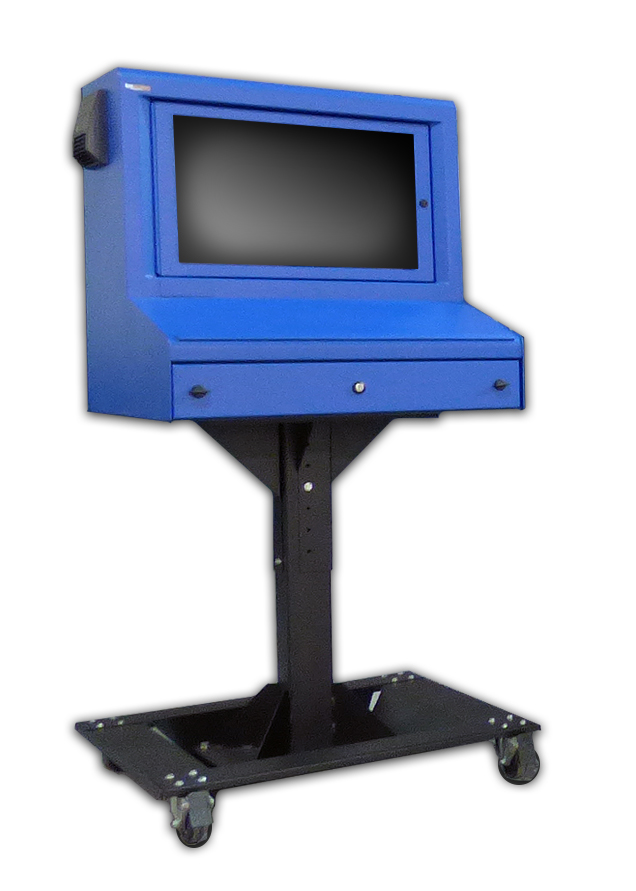 Complete the necessary homework! Every enclosure company is going to make claims that they offer the highest quality computer enclosures on the market. However, if you dig a little deeper, you will find that the materials and hardware used – to build some enclosures – are flimsy. In the end, experience speaks for itself. To make sure you are purchasing the best product, submit the clearly defined project requirements to enclosure providers for a recommendation on their best product. Also, do not overlook the length of the warranty being offered. This could help down the road, if something unexpected occurs.
- Choose the Best Supplier
When possible, evaluate a potential computer enclosure in person, or inquire if an evaluation unit is available. Most companies are willing to send one unit for a hands-on review, in anticipation of selling multiple units after the evaluation period is over. Companies with heavy duty units are always eager to send over a sample unit, because it will likely impress the end user. If an evaluation unit is not available, ask the enclosure supplier for a list of referrals of similar companies that they have worked with on previous projects.
- Pricing
Once it is determined what (product) and who (enclosure supplier) has the best solution for the project, obtain a competitive price quote. Too often, customers ‘ballpark’ their budget far too low in the beginning and do not perform the correct evaluation of the products available on the market. Poor initial budgets could equate to sacrificing enclosure quality, which may end up costing a company more money over the course of time.
- Create a Timeline
From electronics to accessories, understand the lead time for all the items required to properly execute a successful computer enclosure plan. Enclosure suppliers always have a handful of best-selling products ‘in stock,’ which means the lead time should only be a few days. However, if a specialized project requires a custom-made enclosure, then the lead time can be extensive. At times, a customer may need an enclosure solution in two weeks, but in order to fabricate a new product, the lead time could take up to 2 months. This will create headaches for everyone involved in the process. Failing to prepare – in a timely manner – may result in expedite fees to meet the company’s “go live” date.
- Execute
If all of the ducks are in a row, executing the project will prove to be the easiest part! Be sure to assign a project manager to keep everything moving on the right track. In the end, if the plan was implemented properly, then the project will be a huge success. Also, save the enclosure supplier’s number or email, because you may want to order more units in the future!
Poor planning may result in poor product choices. In order to get the right product for the job, always ask questions (and more questions) during the process. How much will this cost? Will the chosen enclosure be best for my environment? What is the lead time? How will this ship? Can this product have thermal management? Can a printer fit? How will power enter the enclosure? These are just a few of the queries to ponder.
Detailed research is always the best course of action. When it comes to purchasing new computer enclosures, it is always good to have a strategy.
HAVE QUESTIONS? LET US KNOW HOW WE CAN BEST ASSIST YOU! CONTACT AN ‘ITSENCLOSURES EXPERT’ AT 1-800-423-9911 -or- SEND US AN EMAIL: INFO@ITSENCLOSURES.COM
The post Avoid Computer Enclosure Pitfalls with Planning appeared first on ITSENCLOSURES.
]]>The post Customizing Your Industrial Computer Enclosure appeared first on ITSENCLOSURES.
]]>The term “custom” enclosure often gets a poor reputation for being more expensive than standard units and having excessive lead times. However, this is not always the case. When researching the best industrial computer enclosure for the job, it is critical to choose an enclosure provider which utilizes off-the-shelf items to customize a solution that meets the users’ needs.
Finding the right enclosure for a computer enclosure project is more extensive than just simply picking out a steel or stainless steel ‘box.’ Enclosures are available in a variety of shapes, sizes, and materials with numerous options for accessories, mounting, connectivity, and climate control. End users and system integrators can simplify the process by choosing a customized solution that ships ready to be used upon delivery.
In order to meet the individual requirements of users, enclosure companies usually stock popular models and valuable accessories. Therefore, the company will be able to “build” an enclosure tailored to the end user’s specific needs more efficiently, than if it was constructed ‘from-scratch.’
Custom Factors to Consider:
Custom Colors
Sometimes the standard color offerings (gray, white, black, or even blue) will not suit the needs of a customer. Custom colors to fit a company’s branding scheme, to match other equipment, or for safety reasons may be required for certain applications. It is necessary for an enclosure company to provide specialized color(s) choices (Pantone or equivalent RAL color) on a small or large scale.
 Custom Doors
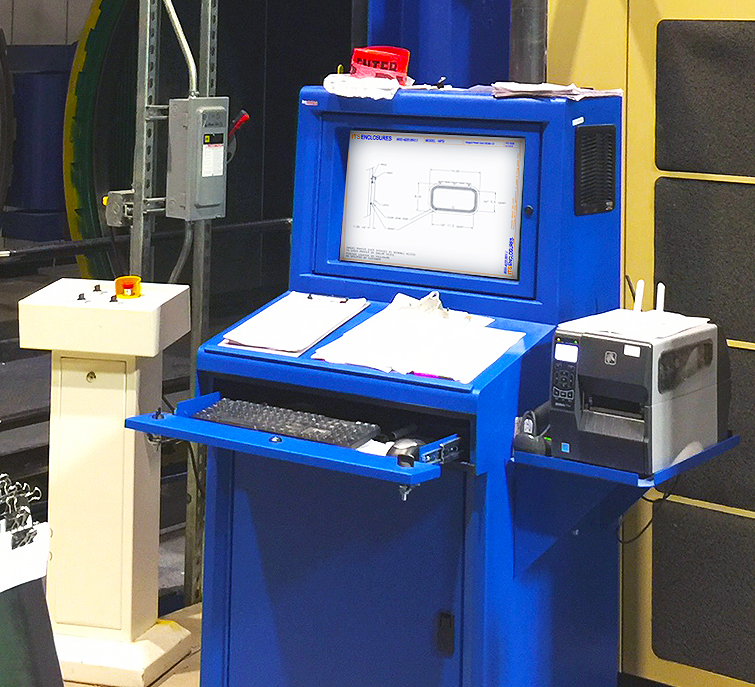
Custom doors, ranging from dust-free printer access doors to rear extended doors to panel mountable doors for touchscreens, are crucial to the efficiency of the enclosure solution. Finding a means to access the electronics inside the pc enclosure is just as important as protecting the electronics from outside dirt, grease and other harmful contaminants. The enclosure can be rendered useless if there is not an easy way to access printer tickets or the ability to use a touchscreen.
Thermal Management
It goes without saying, but all industrial and manufacturing areas are different. It is beneficial to work with an enclosure specialist that has a thorough understanding of specifying the correct heating or cooling (or both) for a computer enclosure. The ability to tailor an off-the-shelf enclosure solution with a filtered fan system, air conditioner, vortex cooling unit, heat exchanger, or various sizes of heaters – specific to the environment the system will be installed – is crucial.
Ask the pc enclosure provider if they have a worksheet to fill out in order to find the best thermal management solution.
Additional Accessories
Although it may seem like minor details compared to the points already discussed, accessories like a foldable mousepad, sliding shelf brackets, mobile or bolt down pedestals (painted steel or stainless), cable entry glands, and power supplies can make a big difference. Most enclosure company websites will list out complimentary accessories below the product, so that an end user can select what will work best for the application. Enclosure specialists will work with customers to find the most appropriate accessories for the specified installation.
Never let the word “custom” affect a computer enclosure solution decision. Custom can simply mean that the end user can pick & choose how the industrial computer enclosure will look and function in a working environment. Homework is essential. As always, do not let price steer you in the wrong direction. In the end, durability and longevity should always be the most important factors when deciding on a brand new enclosure solution.
HAVE QUESTIONS? LET US KNOW HOW WE CAN BEST ASSIST YOU! CONTACT AN ‘ITSENCLOSURES EXPERT’ AT 1-800-423-9911 -or- SEND US AN EMAIL: INFO@ITSENCLOSURES.COM
The post Customizing Your Industrial Computer Enclosure appeared first on ITSENCLOSURES.
]]>The post How to Customize Computer Enclosures appeared first on ITSENCLOSURES.
]]>It’s not just a simple steel box.
Enclosure manufacturers always strive to quickly ship the ideal cabinet to satisfy customers’ requests. The value added through flexibility and modifications can be very appealing if integrators work with a supplier that “can do it all.” When searching online for heavy-duty pc enclosures, integrators and project engineers often investigate outsourcing certain components of a computer workplace to help reduce costs and shorten delivery time. When deploying a new workstation or upgrading an existing enclosure system, designers must determine what type of computer enclosure will perform the best, and plan how components and wiring will come together to complete the project.
Best Practices for Enclosure Customization
1. Cutouts
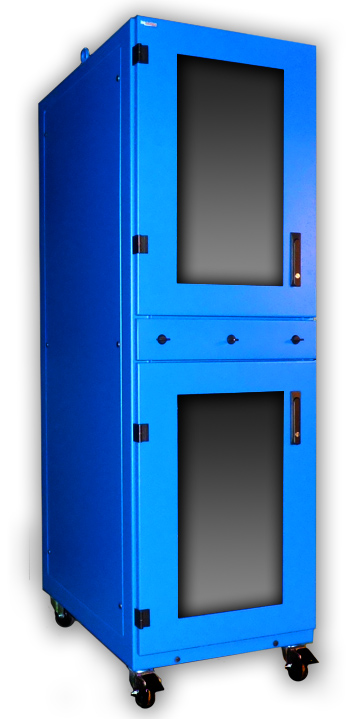 Prior to an enclosure being populated with functional electronics, holes must be cut out and connections must be mounted. It is common for factories and panel shops to knockout or punch holes for a perceived ‘quicker’ turnaround and cost. This may lead to inaccuracy, especially if the factory or panel shop does not have the correct size of punch or bit. Finding an industrial enclosure company that has the skill and ability to modify an enclosure – before shipping – may eliminate hours of in-house measuring and cutting by hand. Enclosure companies make cutouts and custom modifications daily, and do so with great precision. Popular modifications include cable glands, liquid-tight conduit, and cutouts for knobs and push buttons.
2. Wiring
Wiring electrical outlets, fan systems, thermostats, air conditioners, and heaters can be time consuming for the inexperienced. Large jobs may require a completely turnkey solution with necessary wiring and cabling before deploying the computer enclosure in the field. If an integrator is purchasing a sizeable quantity of enclosures and drop shipping them directly to their customer, the enclosure solution must be ‘plug & play’ and ready to use upon delivery. Ask your enclosure manufacturers if outlets, thermal management and other electrical components are installed at the manufacturing facility before shipping. Properly sourced manpower will greatly reduce the final installation time on big projects.
3. Mounting
Internal components such as brackets, DIN rail, mounting track, unistrut, rack channel, and sub panels are vital for mounting switches and controls. If these items are pre-installed prior to delivery from the manufacturer, it will greatly reduce assembly time for your customer and will help them reach a ‘go live’ date. Again, coordination with the enclosure manufacturer will ensure that everything is installed properly and professionally. Manufacturers perform modification tasks regularly and employ proper installation procedures!
When it comes to industrial pc enclosures, many system integrators, engineers and buyers only consider the purchase price and not the entire package. An enclosure company’s reputation and experience can make all the difference! Over time, a great business relationship can be created between the integrator and manufacturer. Leveraging an enclosure manufacturers’ experience can help eliminate some of the ‘heavy lifting’ on behalf of the integrator and end user/customer. It is always best to research solutions on the market and discuss the project with enclosure experts.
HAVE QUESTIONS? LET US KNOW HOW WE CAN BEST ASSIST YOU! CONTACT AN ‘ITSENCLOSURES EXPERT’ AT 1-800-423-9911 -or- SEND US AN EMAIL: INFO@ITSENCLOSURES.COM
The post How to Customize Computer Enclosures appeared first on ITSENCLOSURES.
]]>The post How LCD Enclosures Can Enhance a Manufacturing Environment appeared first on ITSENCLOSURES.
]]>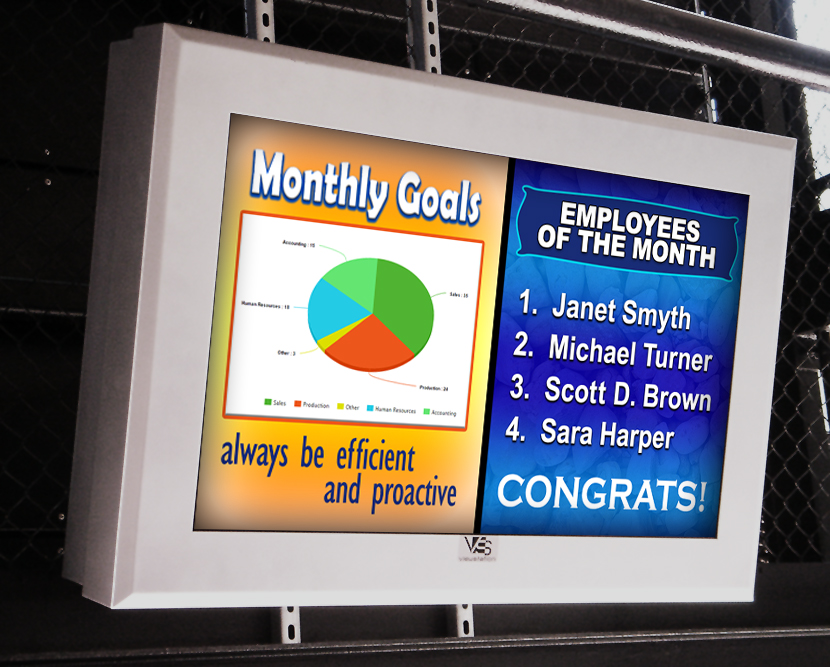
More and more manufacturers are using LCD enclosures on dirty, dusty plant floors. With digital signage, management can communicate vital information efficiently to employees with a few clicks of a button.
Deploying an LCD in a warehouse or factory environment involves extensive planning. The same dangers that harm a computer or printer system will also exist for an LCD. Dust, humidity, liquids and temperature fluctuations can wreak havoc on a standard display. Manufacturers recognize the need for an enclosure to house a large commercial monitor, and enclosures are available in various shapes and sizes.
LCD Enclosure for Manufacturing Environments
1. Safety
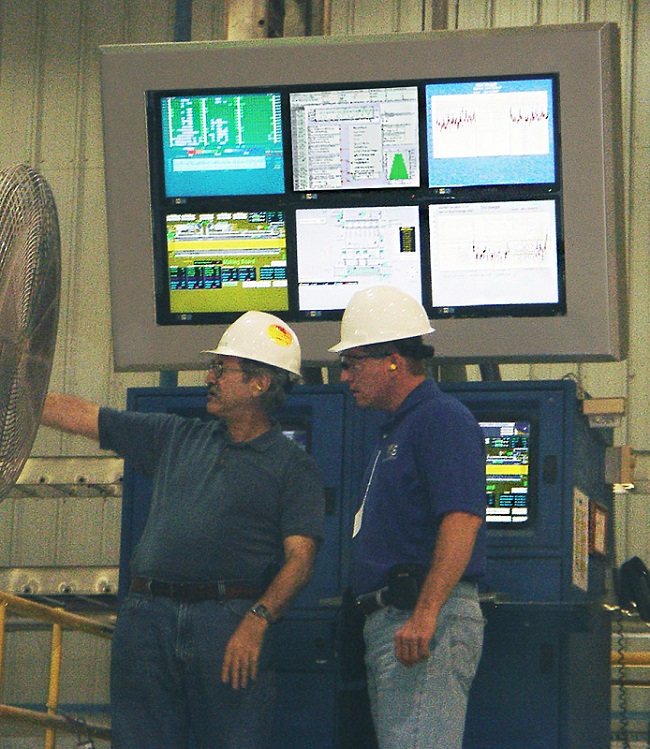 Workplace safety is a top priority at any company, especially in manufacturing. Many companies are turning to digital signage as a fast and effective way to reach their employees. Digital signage is an easily managed tool to improve safety procedures. Michelle Hopkins, in the article, “10 Simple Steps to Improve Workplace Safety,” expresses the importance of signs, “… Signs are a cheap and effective way to quickly communicate important information. They’re usually simple and rely on pictures to detail hazards and proper procedures. These tools are good reminders and warnings for even the most experienced worker.” Digital signage can replace the old-fashioned bulletin board ‘signs’ in the lunchroom or on poles in the factory, saving paper and time. Human resources can now focus on more important issues!
2. Critical Processes
Digital signage can help manufacturers display critical production line information. The notion of “set it and forget it” programming is especially beneficial to plant managers. Utilizing digital signage on a manufacturing floor can help reduce response time for production quality issues. In the blog, ‘9 Scenarios of Common Assembly Line Issues,’ Dan McKiernan emphasizes the importance of having real time information for workers and managers, “Whether you need ongoing information, periodic status updates or data to observe a recent line change, it is imperative to have a tool to continually monitor and analyze your assembly line. [Digital signage] provides you with real-time, continuous and standardized task level data to provide analysis for every station in your assembly process. With a good understanding of your assembly line, you can easily identify problems and make accurate decisions to meet the changing demands of your assembly line.”
3. Performance
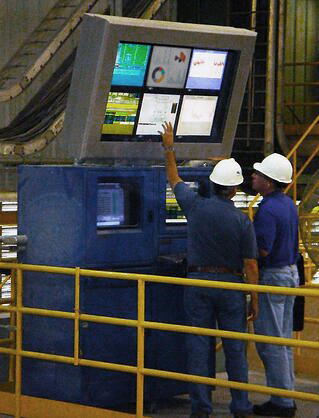 To keep employees motivated and attitudes positive, digital signage can also be utilized to display workplace goals and performance statistics. Keeping employees informed of key metrics, quality control or inventory levels can help drive enthusiasm. A simple daily ‘to-do list’ or real-time statistics on a digital screen will do wonders. According to the article, ‘Why Leaders Need To Embrace Employee Motivation‘ motivation is key, “Employees whose managers involve them in goal setting are 3.6 times more likely than other employees to be engaged… [Furthermore], Gallup estimates the cost of poor management and lost productivity from employees in the U.S. who are not engaged or actively disengaged to be between $960 billion and $1.2 trillion per year.”
Now more than ever, visual communication is a powerful tool to engage, educate and even inspire employees. Loud machinery and large open spaces with high ceilings can make real-time company communication (via a loudspeaker) a real challenge on the plant floor. Regardless if your goal is to improve performance, increase safety or empower your workforce, be sure to choose the right LCD enclosure that will keep your message running 24/7.
HAVE QUESTIONS? LET US KNOW HOW WE CAN BEST ASSIST YOU! CONTACT AN ‘ITSENCLOSURES EXPERT’ AT 1-800-423-9911 -or- EMAIL: INFO@ITSENCLOSURES.COM
The post How LCD Enclosures Can Enhance a Manufacturing Environment appeared first on ITSENCLOSURES.
]]>The post 4 Tips for Choosing the Best LCD for Outdoor Digital Signage appeared first on ITSENCLOSURES.
]]>Many customers exclaim, “I will just provide my own LCD monitor for my outdoor digital signage project.” But, will the monitor be an effective solution installed outdoors? When deploying outdoor digital signage, the LCD chosen really does matter! For many customers, it might be desirable to purchase the “best deal” or least expensive monitor on the market, whether online or at a big box store. The simple truth: consumer-grade monitors found at big box stores or on the web will most likely be too dark or fail if installing outdoors in the elements. A consumer-grade television will not perform in the same way as a commercial-grade or high bright LCD monitor. They are quite different.
If a company attempts to use a consumer-grade screen outdoors, several challenges exist.
4 LCD Challenges for Outdoor Digital Signage
(1.) Not Bright Enough for Outdoor Use
On average, most consumer-grade televisions are only rated at 150-300 nits of brightness (a nit is a measure of brightness and equal to 1 candela per square meter of light). This is great for a living room or bedroom, but outdoor installations are very unique and quite different. It is recommended that you choose a screen that is at least 2,000-2,500 nits to be visible in an outdoor environment. Consider what happens when you try to view your iPhone or Android smartphone outdoors on a sunny day. The screen appears black and you can barely make out the text or images. The exact same effect occurs when using a screen outdoors that is insufficiently bright.
(2.) Length of Warranty
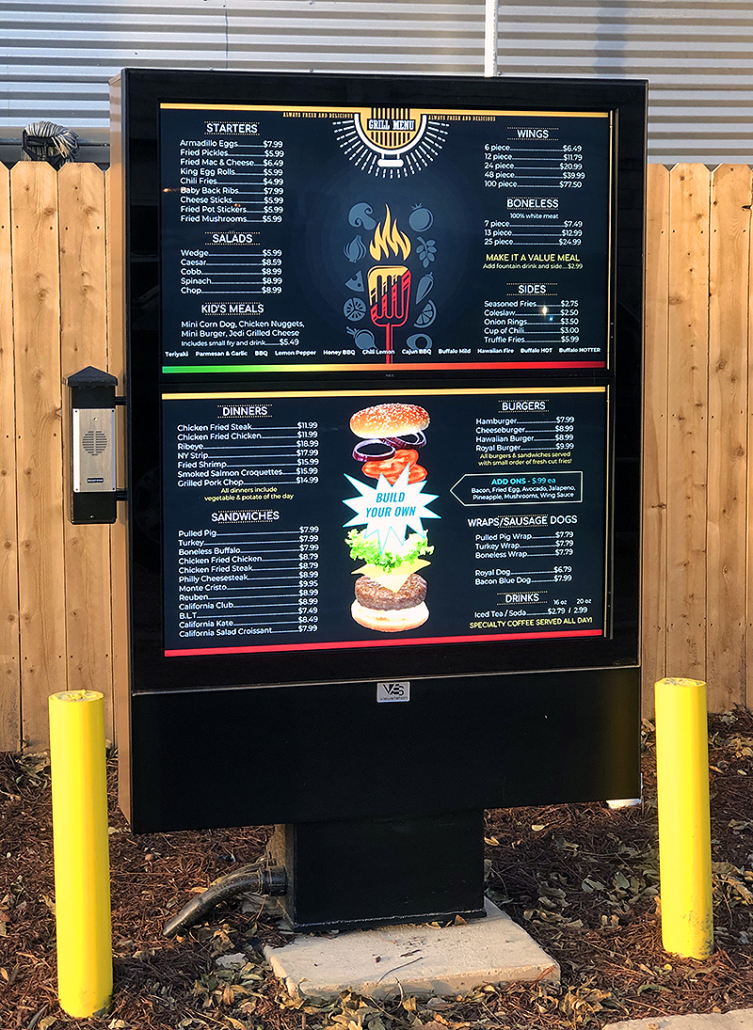
Many popular brands of consumer LCD televisions only offer a 90-day to 1-year warranty and retailers may try to “upsell” you with an extended warranty, which might be for 2-5 years. However, the outdoor digital signage warranty will be ‘void’ if the monitor is not used properly, for example – leaving the monitor on for an extended period of time. According to the website, LCD TV Buying Guide, “The warranties do not cover damages resulting from misuse, natural disasters, or accidents. For these causes it may be best to find a store bought protection plan or extended warranty.” However, there are stipulations for extended warranties as well. Prior to installation, it is best to review what is not covered. Commercial-grade displays offer a standard 3-year warranty with the option to upgrade up to 5 years. This is an important detail when planning an outdoor signage project.
(3.) Prolonged Daily Usage and Solar Load
Most outdoor digital signage applications dictate that the LCD needs to deliver a menu or powerful marketing message 18-24 hours a day! A consumer-grade television is only meant to be used approximately 5-6 hours a day. Prolonged daily use will result in premature failure. HDTVs purchased at a retail store are not built or designed to be powered on for extended periods of time. Plus, when the sun beats down on the screen, it will quickly show wear and lose clarity. The effects of solar gain can be dramatic, and overheating will cause isotropic effects (screen will turn black or dark).
(4.) Low Value Proposition
Many integrators and end users simply do not understand why they should purchase an LCD that can be 3-5 times the expense of what they can buy at a “big box store” or online. A significant amount of time and money is invested in making the transition to outdoor digital signage or menu boards. A direct sunlight environment presents many more challenges to overcome than a shaded area or outdoor canopy protected application, all of which can be resolved if you choose the correct LCD and enclosure solution. Skimping on an LCD or enclosure budget will be detrimental to the quality of the overall solution.
Always do your homework and choose the correct high bright LCD or LCD/enclosure combo solution which will keep your outdoor digital signage menu board running 24/7, 365 days a year! You need longevity and peace of mind that a solution is going to work for many, many years.
HAVE QUESTIONS? LET US KNOW HOW WE CAN BEST ASSIST YOU! CONTACT AN ‘ITSENCLOSURES EXPERT’ AT 1-800-423-9911 -or- EMAIL: INFO@ITSENCLOSURES.COM
The post 4 Tips for Choosing the Best LCD for Outdoor Digital Signage appeared first on ITSENCLOSURES.
]]>The post 3 Reasons to Add Cooling to Computer Enclosures appeared first on ITSENCLOSURES.
]]>Why Proper Thermal Management Helps:
- Prolongs the Life of Electronics
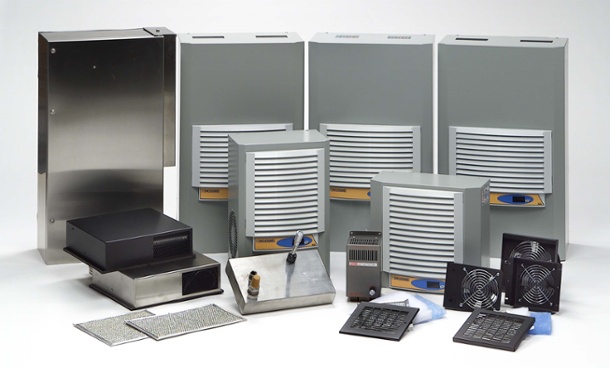
The average lifetime of a computer is approximately 3-5 years. According to AZ Central (USA Today Network), the lifespan is “gauged by a variety of factors including environmental conditions, usage patterns, and computing needs. Many computers will last far longer than this, and possibly a decade or more if properly maintained.” In general, computers and electronics will not survive – on their own – in a hot, dusty manufacturing facility, if not protected inside of a pc enclosure. Furthermore, electronics – installed within the sealed computer enclosure– may also need thermal management to survive. When electronics are used daily, it is good business to maximize their life cycle. If a printer is overheated, then the media may not print properly and if a computer is overheated, it may shut down completely. By keeping electronics running at optimal temperatures, production will never need to slow down.
 Reduces Costly Downtime
If electronics are housed in an computer enclosure, which is in a hot industrial environment, high ambient temperatures will slowly damage a computer or other electronic devices. If the inside of an enclosure is cool and humidity is removed, the equipment will not overheat and will continue to operate at a peak performance. If the computer or printer is needed for everyday tasks, then it must be WORKING(!)… plain and simple. According to the article, The Cost of IT Downtime, Michael Copeland writes, “Because there are so many differences in how businesses operate, downtime, at the low end, can be as much as $140,000 per hour, $300,000 per hour on average, and as much as $540,000 per hour at the higher end… Downtime is extremely expensive, and in ways that can make or break the success of your organization.” Time is money!
- Cuts Down on Replacements
Utilizing the same computer enclosure equipment for many years will offer a strong return on investment for businesses. To put it into perspective, the average computer can cost upwards of $800 to $1,200 (if not more), a replacement thermal transfer printer can run from $400 to thousands of dollars, and even standard LCD monitors are a few hundred dollars. Obviously, to save man-hours and money, a company does not want to constantly be swapping out its essential equipment. Plus, replacement products will take a long time to configure, and oftentimes replacements are in short supply – just adding to downtime and lost profits. The learning curve for brand-new equipment is also costly, as it takes time for employees to learn the latest computer system, printer, or other peripheral.
To determine the correct thermal management for an computer enclosure, it is always useful to perform the proper research, so that the electronics being housed are appropriately protected. Companies will often offer a website form to fill out, so that a buyer can purchase the appropriate equipment.
—–
This formula can also be useful for picking the right thermal management:
(watts x 3.413) + (1.25 x area in square feet x ∆T temperature difference in degrees F) = BTU/hr.
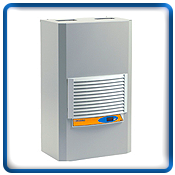
Watts = The total heat load inside the enclosure (the sum of all heat-producing equipment)
Area = Total exposed surface area of the enclosure expressed in square feet
∆T = The difference in temperature between the maximum expected degrees Fahrenheit temperature outside the enclosure and the maximum degrees Fahrenheit temperature allowed inside of the enclosure
HAVE QUESTIONS? LET US KNOW HOW WE CAN BEST ASSIST YOU! CONTACT AN ‘ITSENCLOSURES EXPERT’ AT 1-800-423-9911 -or- SEND US AN EMAIL: INFO@ITSENCLOSURES.COM
The post 3 Reasons to Add Cooling to Computer Enclosures appeared first on ITSENCLOSURES.
]]>The post Creating the Perfect TITAN Computer Enclosure appeared first on ITSENCLOSURES.
]]>Meet the NEMA 12 IceStation TITAN computer enclosure by ITSENCLOSURES! Measuring at 60-inches high, 30-inches wide, and 27-inches deep, the 14 gauge steel (with 12 gauge doors) TITAN pc enclosure is an all-in-one industrial workstation that will protect your PC and electronics from dust, dirt, grease, contaminants, and light splashing fluids.
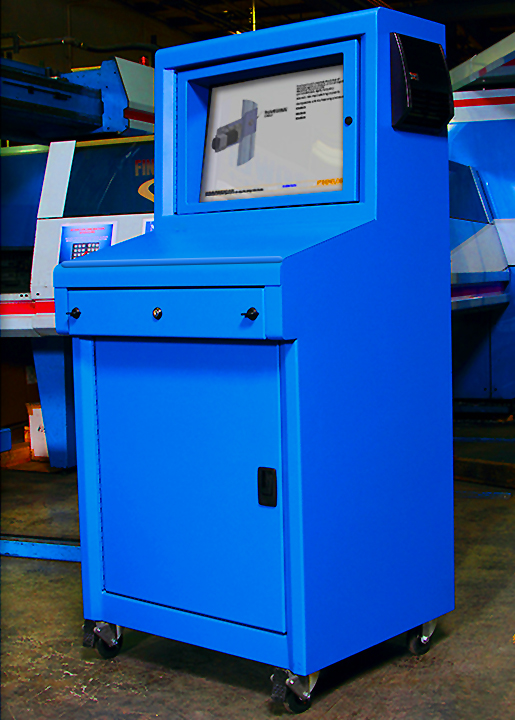 Out of the box, the TITAN (IS603027-12) computer enclosure includes:
- 24-inch tempered safety glass viewing window (polycarbonate window also available)
- Adjustable monitor shelf with VESA mount
- Integrated keyboard drawer with ergonomic wrist-rest and sloped work surface
- Key locking latches
- Industrial casters and gasketed split panel for cable entry
- Available in Blue, Gray, Black, or any Custom RAL color of your choice (additional charge)!
These are all very convenient features, but what additional options are available to create the ‘Perfect TITAN’ computer enclosure for a manufacturing environment?
Accessories to Consider:
- Thermal Management – A filtered fan system, air conditioner, heat exchanger or vortex cooling unit can be added to the IceStation TITAN. If unsure which system best suits your manufacturing needs, please consult an ITSENCLOSURES representative for a cooling recommendation.
- Bolt Down Legs – All TITANs come equipped with industrial casters that enable the enclosure to be mobile. The front casters are lockable for positioning the enclosure in its desired location. If the TITAN needs to be anchored into place, bolt down legs can easily replace the casters.
- Surge Protector/Power Supply – Every TITAN needs power! Adding a 6 outlet surge protector to the inside of the TITAN will enable a user to plug in various electronics, including printers, monitors and computers. Plus, add a simple 10 foot power supply cord to easily reach an outlet.
- External Shelf – Add a folding or stationary fixed shelf to either side of the TITAN for paperwork, file folders, an extra work space, or any other vital accessory needed to ‘get the job done’ on a daily basis. The shelf’s weight capacity is approximately 75 pounds.
- Printer Access Door – Installing a printer inside of the TITAN? Consider adding a hinged printer door. The printer access doors will allow easy access to printouts/labels, without having to open the enclosure door. The location of the desired printer door can be installed based on the height and size of the printer.
- Sliding Shelf Brackets – The TITAN includes a fixed, adjustable shelf for electronics. Consider adding sliding shelf brackets for easy access to the printer, computer or other various electronics that will reside in the TITAN. The sliding shelf is especially helpful when accessing a printer to change media/labels.
We can talk about the benefits of the TITAN all day, but sometimes it is just better to watch an informative product video.
HAVE QUESTIONS? LET US KNOW HOW WE CAN BEST ASSIST YOU! CONTACT AN ‘ITSENCLOSURES EXPERT’ AT 1-800-423-9911 -or- EMAIL: INFO@ITSENCLOSURES.COM
The post Creating the Perfect TITAN Computer Enclosure appeared first on ITSENCLOSURES.
]]>The post Questions to Ask When Searching for a Computer Enclosure appeared first on ITSENCLOSURES.
]]>If your company is looking to purchase a heavy-duty enclosure for a computer, monitor, or printer, what questions should be pondered when searching for the right solution? There are various items to consider before placing a purchase order. For example, what is the temperature range of the enclosure’s environment? Will dust and dirt be in abundance? Will a chemical washdown occur daily?
These are just some of the harmful dangers to consider. Computer enclosure protection is a must when it comes to installing electronics in dirty, dusty, and wet locations.
Here are various questions/situations to consider:
- What NEMA rating is required?
Will your enclosure be in direct contact with splashing water or oil? Will a large amount of dirt and dust be blowing around the enclosure? Will you ever need to wash the enclosure down with a hose? The NEMA Rating should be one of the first things to consider. A NEMA 12 enclosure will protect against dust, dirt, and splashing fluids. A NEMA 4 enclosure will protect against dust, dirt, hose directed water, and corrosive materials. A NEMA 4X enclosure will protect against dust, dirt, hose directed fluids, and corrosive materials.
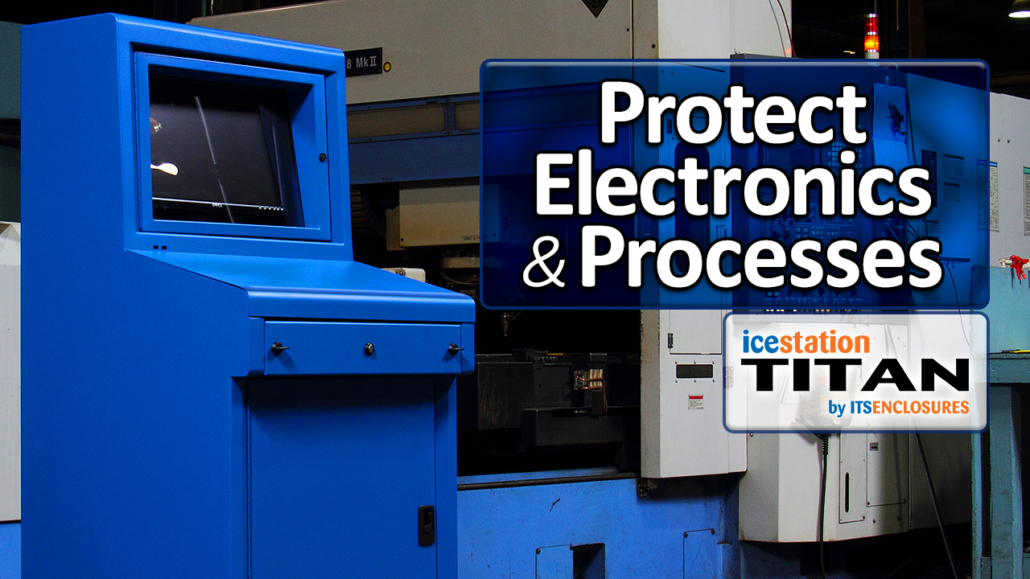 What will be mounted inside of the enclosure?
If installing a computer, monitor, and printer, will the computer enclosure be able to fit all three, and still have room for cables and other essential accessories? Will the enclosure be used to protect rack mountable servers? Before looking at enclosures online or in a catalog, it is always pertinent to have the make/model of your PC, monitor, servers, or printer on hand. Obviously, if the electronics simply do not fit, then the enclosure is impractical. Monitor sizes and PC sizes are always changing, so an enclosure that worked at a warehouse five years ago may not work properly now. It is always best to double check the sizes of all electronics that you will be installing inside of the computer enclosure.- Where will the enclosure be installed?
Will the enclosure be installed on a wall, bolted to the floor, or have castors to enable it to roll around a factory floor? Most castors have a locking mechanism, which will make the enclosure both mobile and stationary for added versatility. If the enclosure is a desktop enclosure, then it can simply be situated or bolted to a table or desk or even under a desk. The placement of the computer enclosure is important to consider, because it might live in the same space for many years. - What add-on enclosure accessories are necessary?
Will a 10-foot power supply or a 6-outlet surge protector be needed? Does the enclosure require lockable doors to keep everything secure? Will the enclosure benefit from having a window in the door, or will a solid door be advantageous? If the enclosure is NEMA 4 or NEMA 4X, will it need a waterproof, dust-free/dirt-free cable entry gland, in order to run cables into the enclosure? Will a keyboard tray or dust-tight keyboard drawer be an essential item? Will the enclosure need a hinged printer door? Do you need a waterproof keyboard or mouse? There are many accessories that will improve the overall effectiveness of an computer enclosure. - Is thermal management needed?
If the enclosure is in an indoor environment, will a filtered fan system be necessary for air circulation or an air conditioner to protect against the heat and humidity? If stored outdoors, will winter temperatures require a heater and summer temperatures require an air conditioner? Thermal management should be discussed before the enclosure is installed in the field, because an enclosed peripheral may overheat under certain circumstances and, therefore, cease to work.
When researching a new computer nclosure for your company, it is best to make a comprehensive checklist and guarantee that everything is well-thought-out before deciding on the solution. Doing preliminary homework will cause less stress down the road. Also, make sure that the enclosure will be shipped completely assembled and ready to use upon arrival. This will save time and money!
HAVE QUESTIONS? LET US KNOW HOW WE CAN BEST ASSIST YOU! CONTACT AN ‘ITSENCLOSURES EXPERT’ AT 1-800-423-9911 -or- SEND US AN EMAIL: INFO@ITSENCLOSURES.COM
The post Questions to Ask When Searching for a Computer Enclosure appeared first on ITSENCLOSURES.
]]>The post 4 Items to Check During a Digital Signage Site Survey appeared first on ITSENCLOSURES.
]]>
Many digital signage installations are retrofits of existing sites and most Quick Service Restaurants (QSRs)/fast food stores will require prep work to install an outdoor digital menu board or digital presell board. When preparing for your project, a site survey is extremely vital and will eliminate any unnecessary guesswork. There are a number of items to consider during the site survey to ensure a smooth transition from static to vibrant digital menu boards.
-
- Cable Run:
Determine what cabling is required for running the digital signage content – CAT5 vs. Rapid Run. It is important to understand who will be providing the cabling at the site. During the site survey, the installer will be able to provide an estimate as to how much cabling will be necessary. A wireless antenna or mobile data may also be an option. 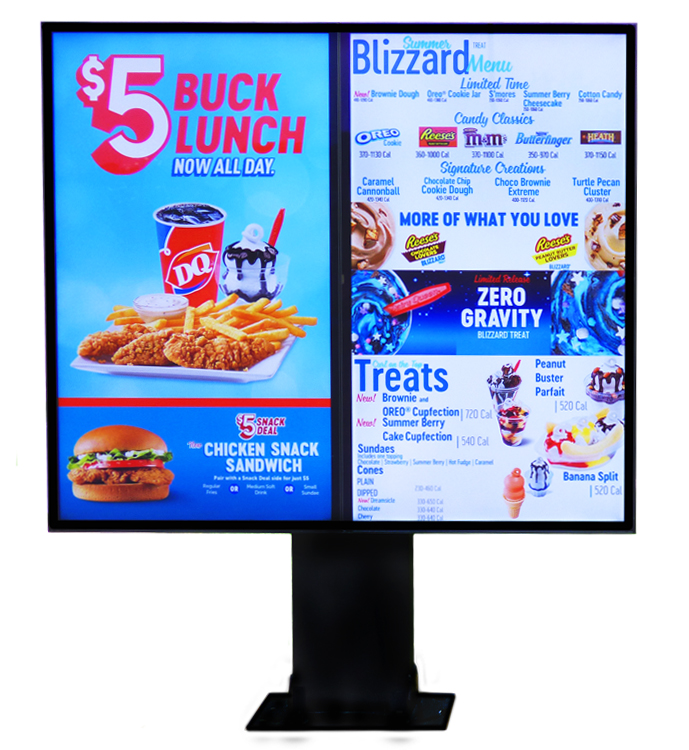 Power Sources:
Most existing static menu boards only require 1 outlet. Outdoor digital menu boards will require additional dedicated power outlets (voltage and amperage depends on enclosure solution). Determine who will be responsible for running the additional outlet(s) to the site.- Footer & Pad:
Evaluate the existing concrete pad and footer pattern. Determine if the existing footer and pad are acceptable or if additional work will need to be completed. Detailed footer specifications are most likely available on an digital signage data sheet. - Identify Equipment On Site:
Identify who is responsible for removing the static menu board. If the installer is responsible, make sure the right equipment is available on the day of the install. What equipment is necessary for installing the outdoor digital signage?
- Cable Run:
It is helpful to have all the items (listed above) lined up prior to the digital signage installation day. The right cabling and power run to the menu board pad, in advance, will allow for an easier installation! However, it is possible to complete the items above during the menu board install. Just remember to factor in these items when estimating how long the installation will take during the day and/or overnight.
The majority of Quick Service Restaurants will request that the digital signage installation occur during off hours (usually through the overnight). Proper planning will help the installation go smoothly and quickly to ensure your drive-thru is up and running with the sleek, cool digital menus before the breakfast coffee rush.
HAVE QUESTIONS? LET US KNOW HOW WE CAN BEST ASSIST YOU! CONTACT AN ‘ITSENCLOSURES EXPERT’ AT 1-800-423-9911 -or- SEND US AN EMAIL: INFO@ITSENCLOSURES.COM
The post 4 Items to Check During a Digital Signage Site Survey appeared first on ITSENCLOSURES.
]]>The post Industrial Computer Enclosures vs. Industrial Computers appeared first on ITSENCLOSURES.
]]>Extreme temperature fluctuations, dust, dirt, grease and splashing fluids are threatening for expensive electronics. Prior to implementing electronics on the plant floor, the system designer has the option of specifying an industrially hardened computer or an aptly sealed industrial computer enclosure to be used with a desktop computer. Either solution can perform splendidly, but, over time, the choice between the two will be an investment decision that will balance lifetime costs, operational stability, and versatility.
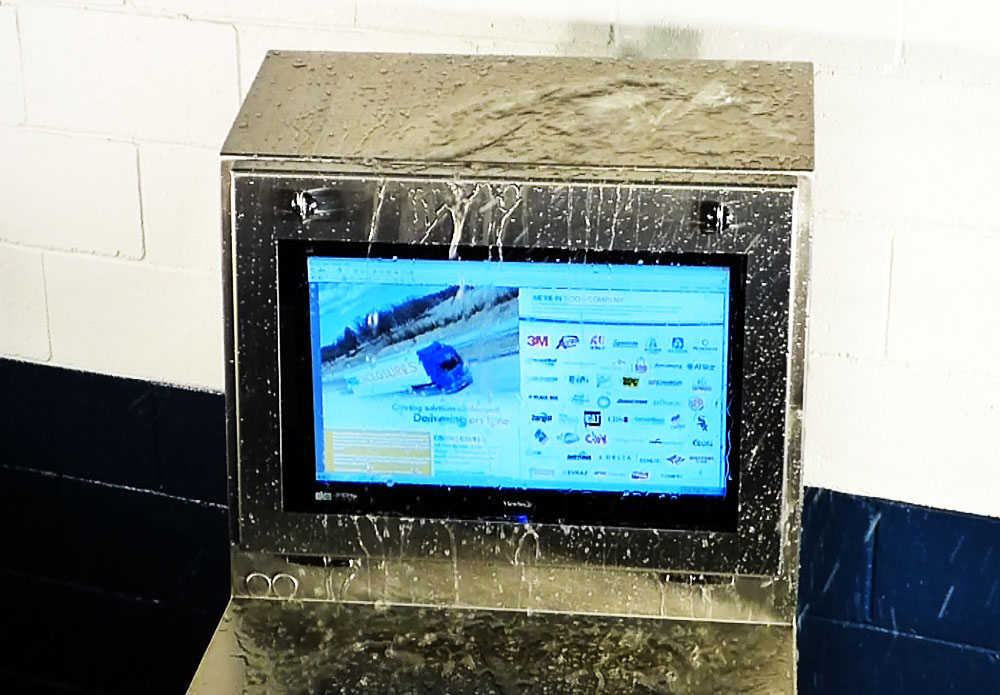 In general, the initial purchase price of an industrial computer will be much higher than the cost of a less expensive general-purpose industrial computer enclosure. It is important to understand the differences between the two solutions.
After either system is deployed into production, the first consideration comes into play during a hardware failure. Although the industrial-grade computer should provide significant longevity than a general-purpose PC, it is an electronic device and, over time, electronics will fail.
Industrial PCs can often be difficult to repair. The computer’s sealed design may warrant a service technician to provide repair work or worst-case scenario, require the unit to be sent back to the manufacturer for repair. Regardless, the end user will face production downtime, which is always costly. In addition, industrial computers are usually proprietary and difficult to upgrade. However, without an industrial computer enclosure, the computer has no protection against tampering with controls or misuse.
Protecting a computer in a NEMA-rated industrial computer enclosure can offer more flexibility. In the event of a computer failure, it will be far less expensive to replace a general-purpose computer vs. an industrial computer, and of course general purpose computers are available either in company inventory or a ‘day away’ from today’s electronic marketplace.
If the technology requires a change two to three years after the system has been implemented, utilizing a industrial computer enclosure will provide greater versatility. A PC enclosure allows the system integrator to easily swap out an older computer with a brand-new computer. A computer enclosure is lockable and will provide the peace of mind that the system is secured.
Many companies do not calculate how much a computer and related hardware will cost in terms of downtime and production loss. The proper computer enclosure will help extend the lifetime of electronics and reduce downtime, while offering a cost-effective alternative to industrial computers.
HAVE QUESTIONS? LET US KNOW HOW WE CAN BEST ASSIST YOU! CONTACT AN ‘ITSENCLOSURES EXPERT’ AT 1-800-423-9911 -or- SEND US AN EMAIL: INFO@ITSENCLOSURES.COM
The post Industrial Computer Enclosures vs. Industrial Computers appeared first on ITSENCLOSURES.
]]>